
Please send an email to hello@relentlessmethod.com or perform the following steps within your app:
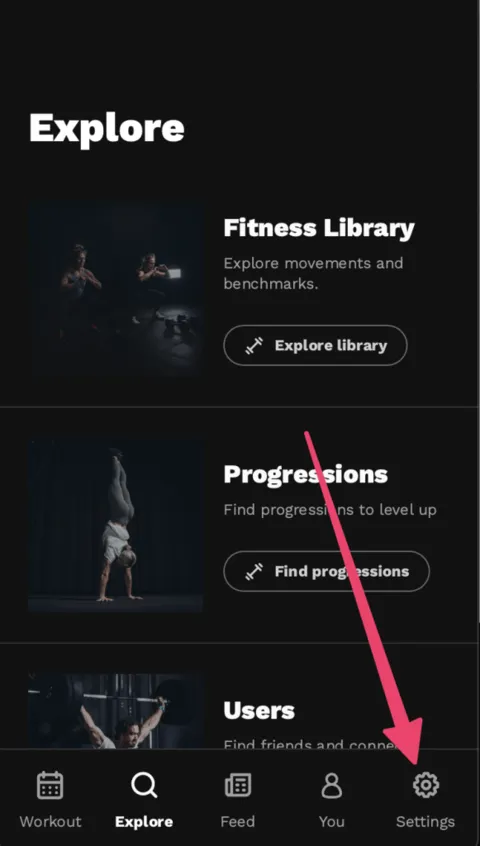
1.) Click on Settings:
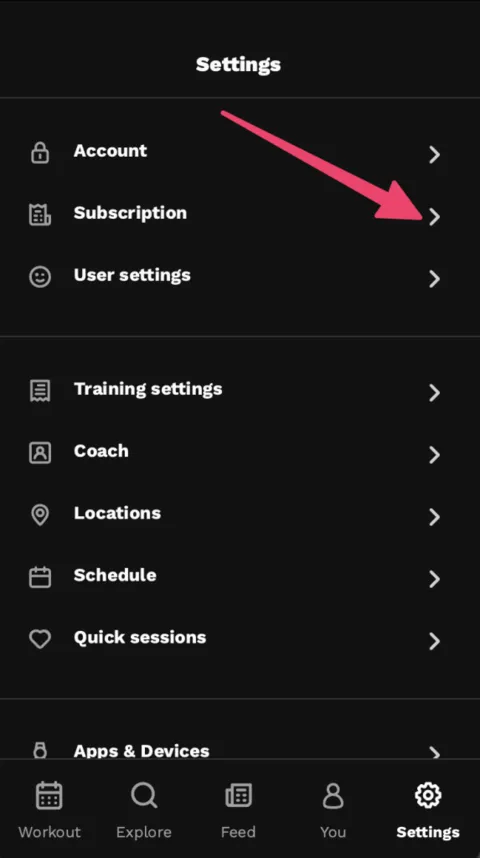
2.) Click on Subscription
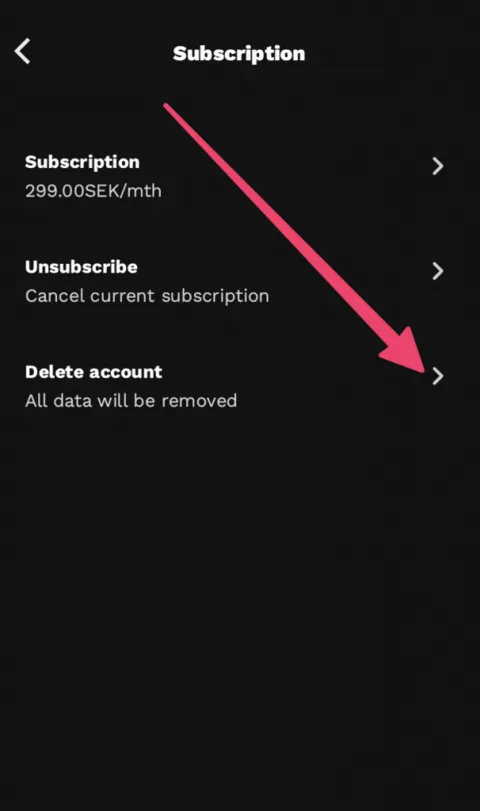
3.) Click on delete account
If you have any problems with this, please contact our support at hello@relentlessmethod.com
Remove WhatsApp information from Relentless
Coaches can open Settings > WhatsApp in the Relentless web dashboard. Switch off a client to stop collecting their messages and remove the stored source conversation and search entries. Choose Disconnect to stop the account connection, clear its access token and remove stored source conversations for that coach.
To remove summaries and facts already written to the coaching record, use their separate Undo controls. Disconnecting alone does not remove those derived records. Revoking access only in Meta also does not immediately erase stored content in Relentless.
Clients can ask their coach to switch off their WhatsApp conversation or request deletion directly at hello@relentlessmethod.com. Identify your Relentless account and the coach involved so we can match your request. State whether you also want associated coaching summaries and facts removed. Do not send passwords, verification codes or complete chat exports. We may need to verify your identity before removing personal information.
You can also request deletion of your Relentless account using the steps above. Removing information from Relentless does not delete copies in your WhatsApp app, another participant's account or Meta's systems. See our WhatsApp privacy information for how the integration uses conversations.